Best Chore Apps with Google Calendar Sync (2026)
We compared 7 chore apps that integrate with Google Calendar. Here's our honest breakdown of calendar sync quality, features, pricing, and which app is best for different family needs.
Which Chore App Has the Best Google Calendar Sync?
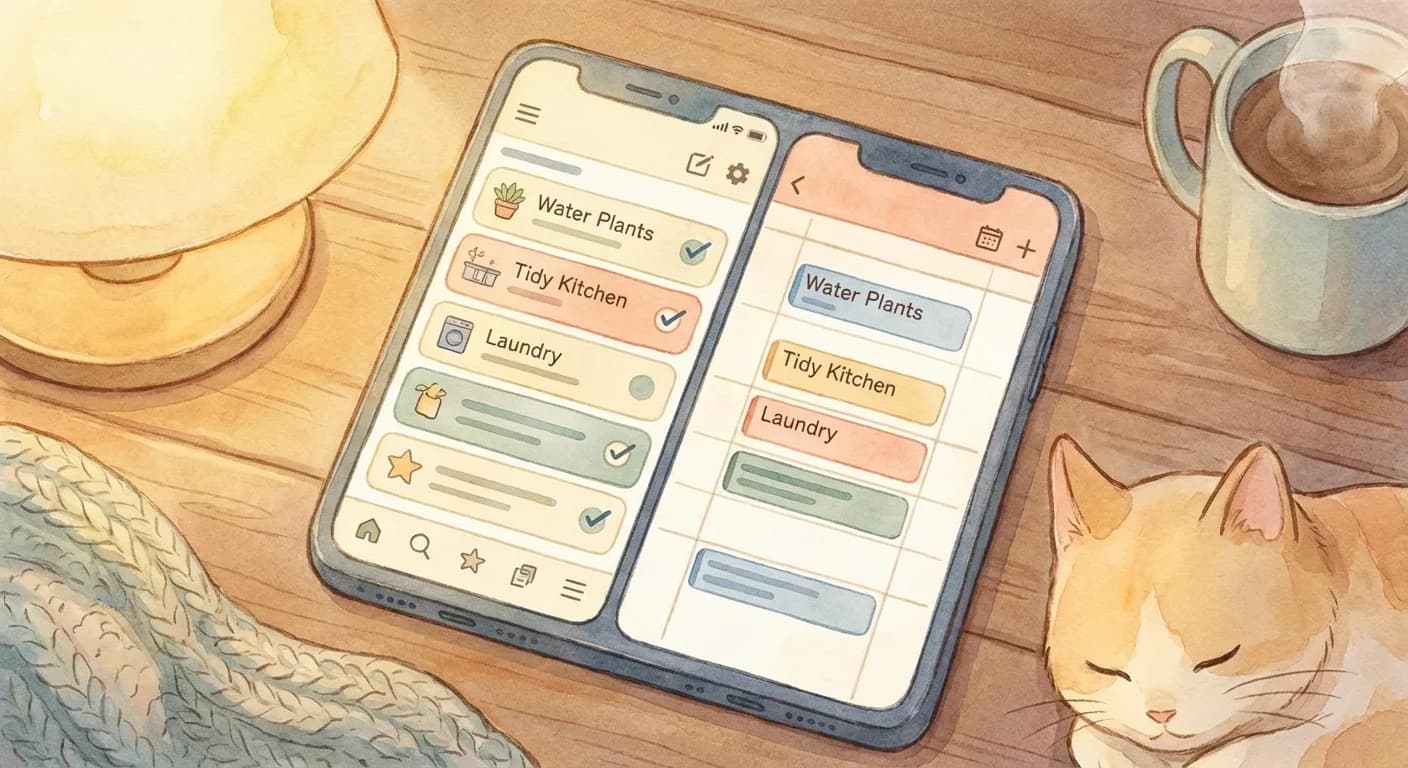
ChoreSplit has the deepest Google Calendar integration of the seven chore apps compared here, because it is the only one that connects through Google's Calendar API instead of exporting a one-way feed. That difference is what makes edits travel in both directions: deleting a chore's event in Google Calendar marks the chore complete in the app, and moving the event reschedules it. Cozi and ChoreBuster offer one-way iCal feeds, Skylight displays your calendar on hardware without writing chores back to it, Homey has no calendar integration at all, and Habitica needs a third-party automation tool.
The honest caveats: ChoreSplit's calendar sync requires the paid Plus plan, and it works with Google Calendar only — there is no Apple Calendar or iCloud integration. This comparison is published by ChoreSplit, so weigh it accordingly and check each vendor's own pricing page before deciding.
Platform behaviour cited on this page comes from Google's Calendar API push-notification guide and Apple's note that subscribed calendars cannot be edited.
Which Chore Apps Actually Sync to Google Calendar?
Of the seven apps here, only ChoreSplit connects through Google's Calendar API. Cozi and ChoreBuster export a one-way iCal feed you subscribe to, Skylight displays your Google Calendar on hardware without writing chores back to it, OurHome's export is unreliable, Homey has no calendar integration at all, and Habitica needs a third-party automation tool. Side by side:
| Feature | ChoreSplitTop Pick | Cozi | Skylight | ChoreBuster | OurHome | Homey | Habitica |
|---|---|---|---|---|---|---|---|
| Google Calendar Sync | Native | iCal | Display only | iCal | Limited | None | Third-party |
| Two-Way Sync | |||||||
| Shared Family Calendar | |||||||
| Task Assignment | |||||||
| Recurring Tasks | |||||||
| Points System | |||||||
| Leaderboard | |||||||
| Streaks | |||||||
| Parent Approval | |||||||
| Free Plan | Yes (sync is Plus) | ||||||
| Price | $9.99/mo | $2.50/mo* | $9.99/mo** | $6.99/mo | Free | $4.99/mo | $5/mo |
* Cozi: $29.99/year = ~$2.50/month ** Skylight: Plus plan, hardware sold separately ($169). ChoreSplit's free plan covers chores, assignment and points, but Google Calendar sync itself requires the paid Plus tier. Competitor pricing and feature gating change frequently — figures here were checked in August 2026 and are worth re-confirming on each vendor's own pricing page before you commit.
How Does Each App's Google Calendar Integration Work?
The word "sync" hides three very different mechanisms: a live API connection, a one-way subscribed feed, and a display that merely reads your calendar. What each app actually does:
ChoreSplit
Gamified chores with native calendar sync
Calendar Sync
Native Google Calendar
Pricing
Free plan; calendar sync on Plus, $9.99/mo
Best For
Families who want gamification + calendar convenience
ChoreSplit connects through Google's official Calendar API rather than an exported feed. Each family member authorizes their own Google account and picks which of their calendars receives chores; assigned chores are then written there as individual events — timed or all-day — on a rolling 14-day horizon, with the chore's point value in the title and pop-up plus email reminders defaulting to 30 minutes before. Updates arrive through Google's push notifications rather than a periodic refresh, and changes travel both directions: completing a chore in ChoreSplit removes its event, while deleting that event in Google marks the chore complete, restoring it un-completes it, and dragging it to a new time reschedules that occurrence. It requests only permission to manage its own events plus a read-only look at your calendar list. Calendar sync requires the paid Plus plan.
Pros
- Two-way sync via Google's Calendar API, not an exported feed
- Each member connects their own Google account and calendar
- Full gamification (points, streaks, leaderboards)
- True task assignment per person, with automatic rotation
- Parent approval and optional photo verification
- Completion history and tracking
Cons
- Google Calendar only — no Apple Calendar or iCloud integration
- Calendar sync requires the paid Plus plan
- Newer app (less name recognition)
Our verdict: Best overall for families wanting both calendar integration AND motivation features.
Cozi
Family organizer with chores
Calendar Sync
iCal export
Pricing
Free (ads), $29.99/year ad-free
Best For
Families primarily wanting a shared calendar with basic chores
Cozi has a built-in shared family calendar, but syncing chores to Google Calendar requires exporting an iCal feed. The sync is one-way only — changes you make in Google Calendar won't update Cozi. Chores and calendar events live in separate sections of the app, which can feel disconnected.
Pros
- Established app with large user base
- Shared family calendar built-in
- Shopping lists and meal planning
- Free tier available
Cons
- No gamification to motivate kids
- iCal sync (not native Google)
- Chores feel like an afterthought
- Ads in free version
Our verdict: Good for families who need an all-in-one organizer, not specifically chore-focused.
OurHome
Chores with point rewards
Calendar Sync
Limited
Pricing
Free (basic), premium tiers available
Best For
Budget-conscious families wanting basic gamification
OurHome has limited calendar integration. You can view chores on a built-in calendar within the app, but there is no reliable export to Google Calendar. Users report that the calendar sync feature is buggy and inconsistent, making it hard to depend on for family scheduling.
Pros
- Points system for motivation
- Free tier is functional
- Available on iOS, Android, web
- Basic task assignment
Cons
- Calendar sync is limited/buggy
- App can be glitchy (per reviews)
- Gamification is basic
- Less active development
Our verdict: Decent free option but calendar integration is weak.
Skylight
Smart display with chore lists
Calendar Sync
Google Calendar via display
Pricing
$169 device + optional $9.99/mo Plus
Best For
Families wanting a visible household display with calendar
Skylight is primarily a countertop smart display that shows your family's Google Calendar. Chore lists are a secondary feature added through the Skylight Chores add-on. While the device syncs with Google Calendar to display events, the chore list itself doesn't create calendar events — it lives as a separate checklist overlay on the display.
Pros
- Visible display keeps chores front-of-mind
- Google Calendar events appear on device
- Good for younger kids who don't have phones
- Attractive hardware design
Cons
- Requires purchasing hardware ($169+)
- Chores don't sync TO Google Calendar
- No gamification or motivation features
- Monthly subscription for full features
Our verdict: Great as a visible family hub, but chores and calendar are separate features that don't truly integrate.
ChoreBuster
Fair chore scheduling
Calendar Sync
iCal export
Pricing
Free basic, $6.99/mo premium
Best For
Households wanting automatic fair rotation
ChoreBuster offers iCal feed export, which you can subscribe to in Google Calendar. The feed updates when the schedule changes, but it's one-way only. The scheduling algorithm is the real strength here — it automatically rotates chores fairly based on availability and preferences, and those rotations appear on the exported calendar.
Pros
- Automatic fair chore rotation
- Considers availability and preferences
- Good for roommates and families
- iCal integration
Cons
- No gamification
- Interface feels dated
- No native Google Calendar sync
- Less engaging for kids
Our verdict: Best for roommates or families focused purely on fair distribution.
Homey
Chores, allowance, rewards
Calendar Sync
None
Pricing
Free basic, $4.99/mo premium
Best For
Families wanting chore-to-allowance connection
Homey does not offer any Google Calendar integration. Chores exist entirely within the Homey app. If you want chores on your calendar, you'd need to manually create events — which defeats the purpose of using an app. Homey's strength is connecting chores directly to allowance and money management, not calendar organization.
Pros
- Connects chores to allowance/money
- Good UI design
- Parent approval for completions
- Bank account integration option
Cons
- No Google Calendar sync
- Chores don't appear on your calendar
- Premium required for best features
Our verdict: Good if you don't need calendar integration and want allowance features.
Habitica
RPG-style habit and task tracker
Calendar Sync
Third-party only
Pricing
Free (basic), $5/mo subscription
Best For
Teens/adults who love RPG gamification
Habitica doesn't have built-in Google Calendar sync, but third-party integrations (via Zapier or community plugins) can push tasks to Google Calendar. Setup requires technical know-how, and the sync can be unreliable. Habitica is designed as a personal habit tracker with RPG elements, not a family chore app — so family calendar features are nonexistent.
Pros
- Deep RPG gamification (avatar, pets, quests)
- Strong community and social features
- Works for habits, dailies, and to-dos
- Free tier is feature-rich
Cons
- No built-in Google Calendar sync
- Not designed for families (individual-focused)
- No task assignment to family members
- RPG theme can feel childish or overwhelming
Our verdict: Fun for personal habit tracking, but not suitable for family chore management or calendar integration.
How Do You Sync ChoreSplit Chores to Google Calendar?
Six steps, and step 5 is the one most families miss — sync is per-member, so each person connects their own Google account.
Create your ChoreSplit family account
Sign up at choresplit.com and create a family. Add each family member by name — they'll each get their own profile and calendar feed.
Add your chores and assign them
Create your chore list with titles, point values, and due dates. Assign each chore to a family member. Set recurring schedules for weekly or daily tasks.
Connect Google Calendar in Settings
Go to Settings → Integrations → Google Calendar and sign in. Google will ask for two permissions: the ability to manage ChoreSplit's own calendar events, and read-only access to your list of calendars so you can pick a destination. It does not request permission to read your existing events. Connecting requires the Plus plan.
Pick the destination calendar and reminder style
Choose which of your Google calendars receives chores — your primary calendar is the default, though a dedicated one keeps chores visually separate. Then set reminders: pop-up, email, or both, at 5, 10, 15, 30, 60 or 120 minutes before.
Have each family member connect their own account
Sync is per-member, not per-family. Each person authorizes their own Google account and picks their own calendar, so everyone gets exactly their assigned chores rather than a shared pile to filter.
Verify chores appear on the calendar
Open Google Calendar and look for the next two weeks of chores on the calendar you chose. Each event's title carries a category emoji, the chore name, and its point value; the description lists the assignee, the repeat pattern, whether photo verification is required, and a link back into ChoreSplit.
See what the sync actually does
A narrated walkthrough of what Google Calendar sync does in practice: a chore list written on request, then each chore landing in the calendar as its own timed event.
Read the transcript
- 0:00Plenty of chore apps say they sync with Google Calendar. What that turns out to mean varies a lot once you switch it on.
- 0:05Here is what it means in ChoreSplit. I asked it for a chore list for the day rather than writing one out myself.
- 0:11Each chore lands in Google Calendar as its own timed event, which is the part a comparison table cannot show you.
- 0:17Four came back with a time of day, an owner and a point value on each, and nothing to set up in between.
- 0:23Sync is on the Plus plan. Compare the rest at choresplit.com.
Which Chore App Is Best for Your Situation?
No single app wins on every axis. Matched to what you actually care about most:
Best Overall
ChoreSplit
Only app with native two-way Google Calendar sync AND full gamification. Keeps kids motivated while parents stay organized.
Best Free Option
OurHome
Functional free tier with basic gamification, though calendar sync is limited.
Best for Fair Rotation
ChoreBuster
Algorithm automatically creates fair schedules considering preferences and availability.
Best All-in-One
Cozi
If you need calendar, shopping lists, meal planning, AND basic chores in one app.
Best for Allowance
Homey
Direct chore-to-money connection if calendar sync isn't important to you.
Best Visible Display
Skylight
Physical countertop display keeps chores and calendar visible for the whole family.
Best for Teens (Solo)
Habitica
Deep RPG gamification for personal habit tracking, but not a family chore tool.
Key Takeaways
- Only ChoreSplit connects via Google's Calendar API — the rest use one-way feeds, a display, or nothing
- ChoreSplit's calendar sync is a paid Plus feature, and it does not integrate with Apple Calendar
- Cozi is best if you want an all-in-one family organizer (calendar + lists + meals + chores)
- ChoreBuster excels at automatic fair rotation for roommates/families
- Skylight is great for visibility but chores and calendar are separate features
- Habitica is fun for personal habits but not designed for family chore management
- iCal sync (Cozi, ChoreBuster) works but is one-way — and Apple documents that subscribed calendars are read-only
- If kids' motivation matters, gamification features are worth paying for
Frequently Asked Questions
Which chore app has the best Google Calendar integration?
ChoreSplit has the best Google Calendar integration among chore apps. It's the only app offering native two-way sync, meaning chores automatically appear on your Google Calendar, and completing them in either place updates both. Other apps like Cozi and ChoreBuster only offer one-way iCal export, which is less reliable and doesn't update in real time.
Can I sync chores to Google Calendar for free?
Some apps offer limited calendar sync on free plans. Cozi's free tier includes iCal export (with ads), and ChoreBuster's free plan includes basic iCal feeds. However, for native Google Calendar sync with two-way updates, ChoreSplit is free to start. OurHome is free but its calendar sync is unreliable.
What is the difference between iCal sync and native Google Calendar sync?
iCal sync exports a read-only calendar feed that Google Calendar can subscribe to. It typically updates every few hours and only goes one direction, so changes in Google Calendar won't affect the chore app. Native Google Calendar sync (like ChoreSplit offers) connects directly to the Google Calendar API for real-time, two-way updates. When you complete a chore in ChoreSplit, it instantly updates on Google Calendar, and vice versa.
Can my whole family see chores on a shared Google Calendar?
Yes, with ChoreSplit each family member gets their own calendar feed showing their assigned chores. Parents can also see all family members' chores on one calendar. Cozi has a shared family calendar but chores and calendar events are separate features. Skylight displays Google Calendar on a shared screen but chores don't create calendar events.
Do any chore apps work with both Google Calendar and Apple Calendar?
ChoreSplit syncs to Google Calendar only. There is no Apple Calendar or iCloud integration, and no iCal feed. iPhone families can still see their chores by adding their Google account in Settings, or by using the Google Calendar app. Cozi and ChoreBuster export iCal feeds, which any calendar app can subscribe to, including Apple Calendar, but Apple documents that subscribed calendars are read-only, so you cannot check a chore off from there.
What does two-way calendar sync actually change in day-to-day use?
It means the calendar is not just a display. With ChoreSplit's two-way sync, deleting a chore's event in Google Calendar marks that chore complete in the app, restoring the event un-completes it, and dragging the event to a different time reschedules that occurrence. With a one-way iCal feed, edits you make in your calendar are simply overwritten the next time the feed refreshes.
Is Google Calendar sync included on free chore app plans?
Usually not. ChoreSplit has a free plan, but connecting Google Calendar requires the paid Plus tier. Cozi includes iCal export on its free, ad-supported tier, and ChoreBuster's free plan includes basic iCal feeds. OurHome is free but its calendar integration is limited. Check the current plan pages before committing, because pricing and feature gating on these apps change often.
Continue Reading
Google Calendar Chores Guide
Complete setup guide
Sync Family Chores to Google Calendar
Coordinate household chores
Google Calendar Chores Guide
Schedule and automate repeating tasks
Chore Chart Maker
Build effective chore systems
Shared Family Calendar Setup
Google vs Apple vs family organizer apps
Apple Calendar Chores
Chore scheduling on iPhone and Mac
Ready to Sync Chores to Google Calendar?
ChoreSplit writes each assigned chore onto that person's own Google Calendar and updates in both directions — plus points, streaks and parent approval. Free to start; calendar sync is a Plus feature.
Free to start. No credit card required.