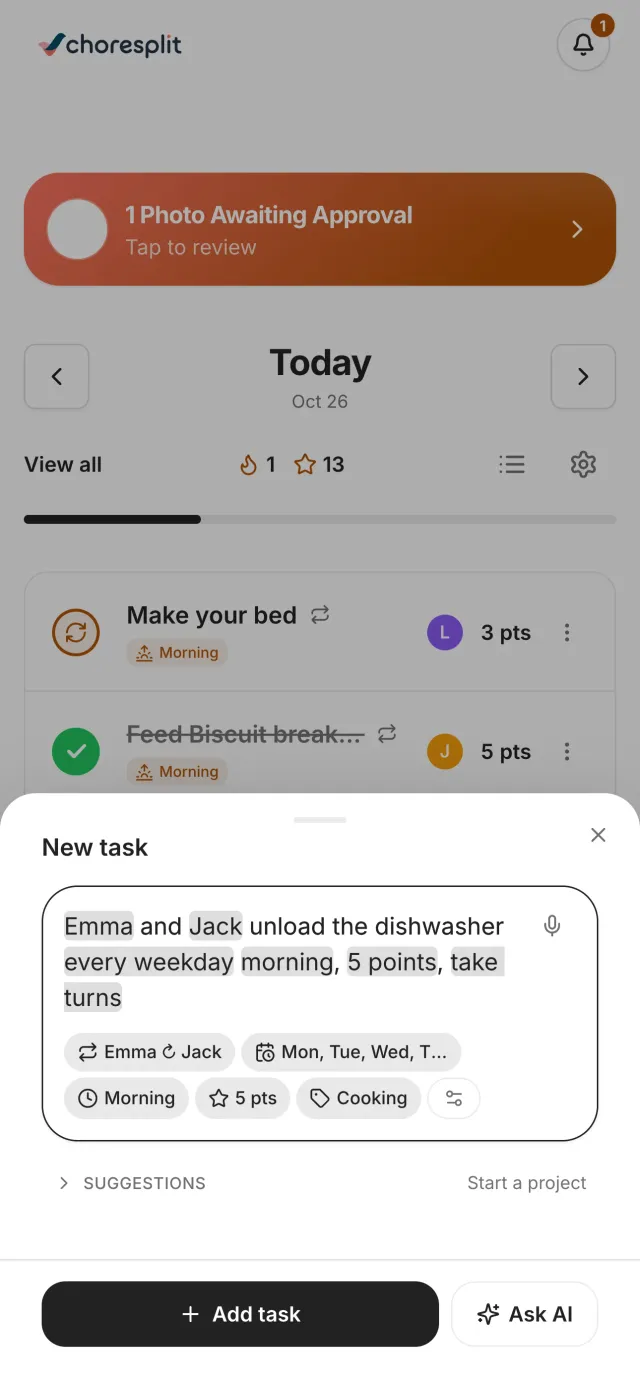
Chores from plain words
Say it once. The chart fills itself in.
Type “Emma and Jack unload the dishwasher every weekday morning, take turns” and AI sets the people, the days, the time of day and the points. Ask it to make chores harder or add outdoor ones and it adjusts the list.
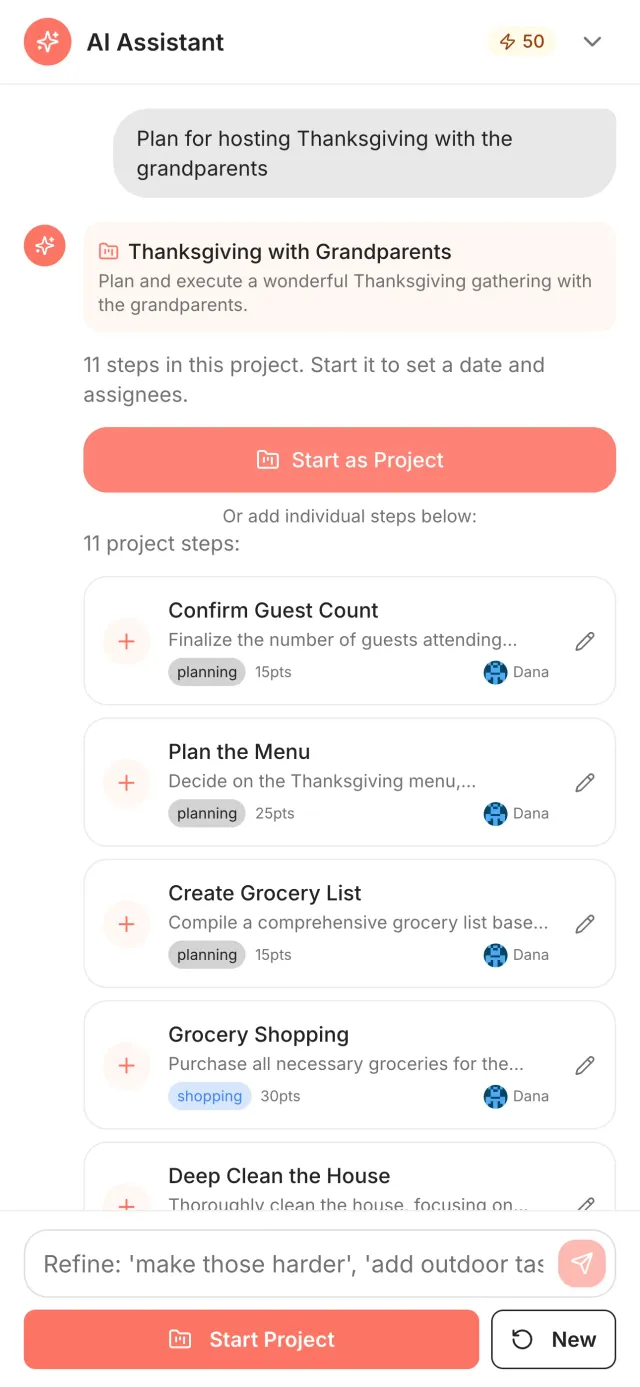
Projects
Hand it a bigger job
“Plan for hosting Thanksgiving with the grandparents” becomes a project with steps, points and who does what. Change anything before you start it.
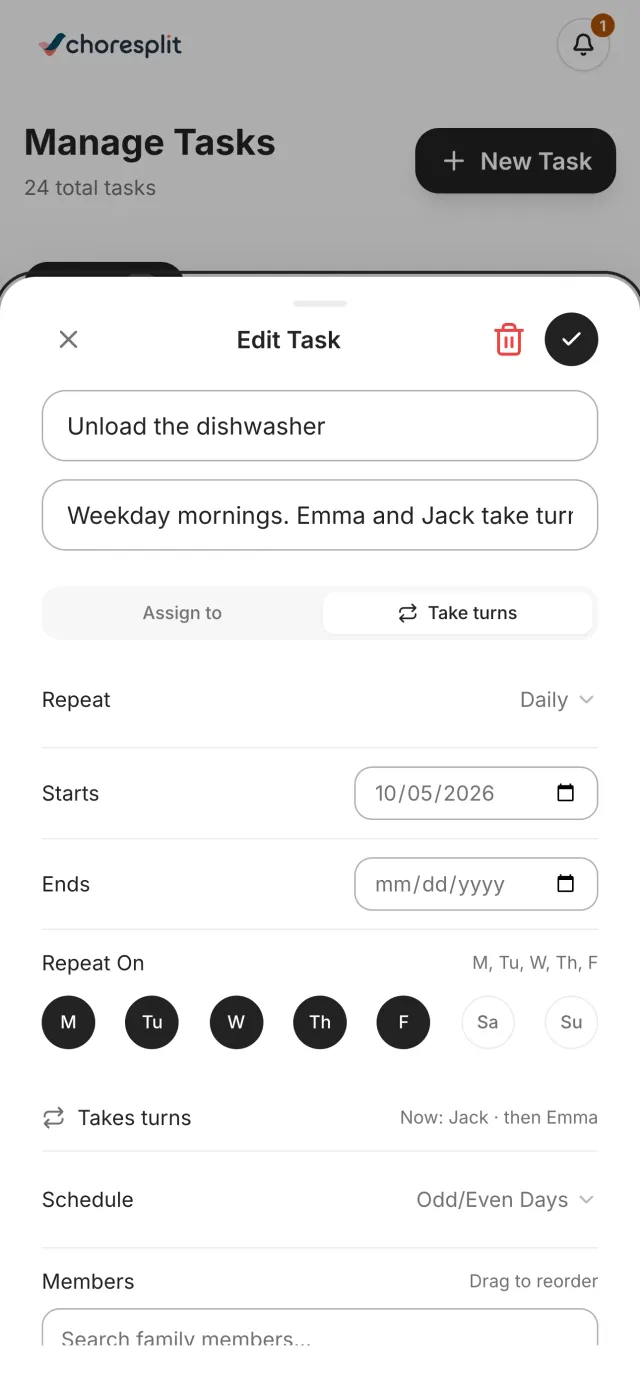
Fair shares
It understands “take turns”
Mention that kids alternate and the chore rotates between them on its own, so nobody has to remember whose week it is.
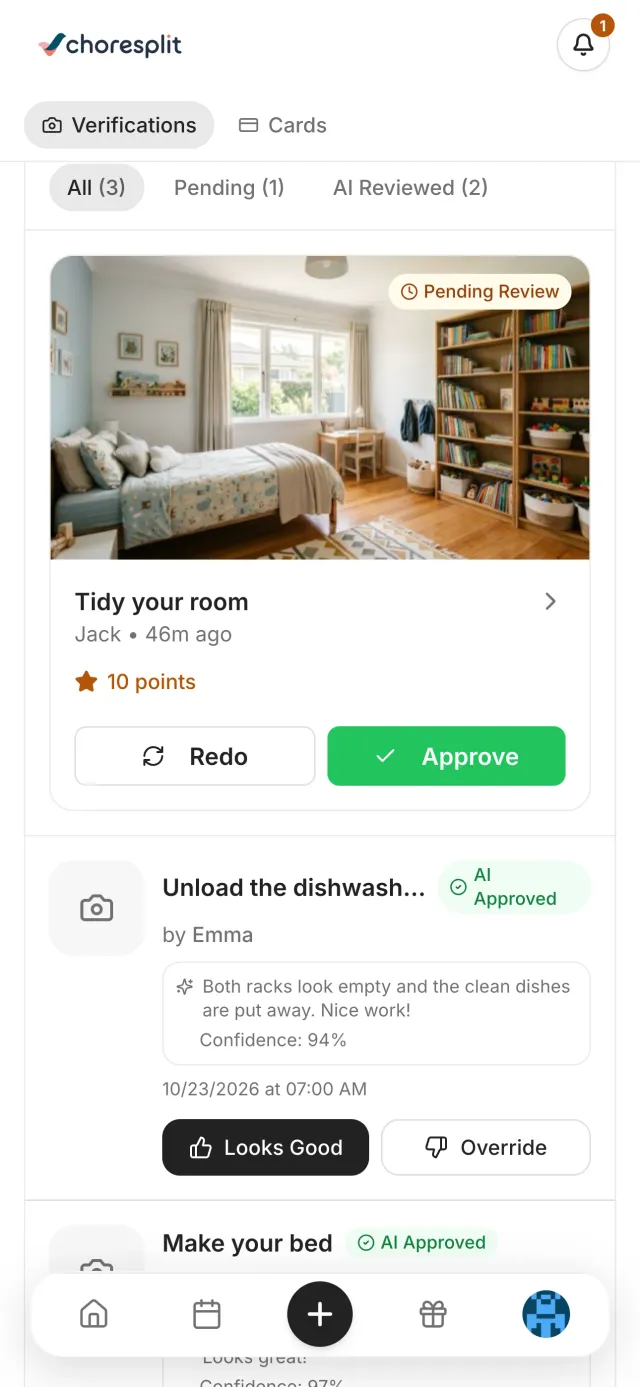
Photo check
A photo shows the chore is done
Kids snap a photo when they finish. AI checks it against what the chore asked for and leaves a short note on what it saw. You approve it, or let confident checks approve themselves.
You stay in charge
The final say is yours
Every AI decision can be reviewed and overridden. AI suggests, you decide.
Set how sure it must be
Choose the confidence level for auto-approval, or review every photo yourself. If you override it often, it suggests a better setting.
Your photos stay yours
Photos are kept in your family's account for review and are never used to train AI models.