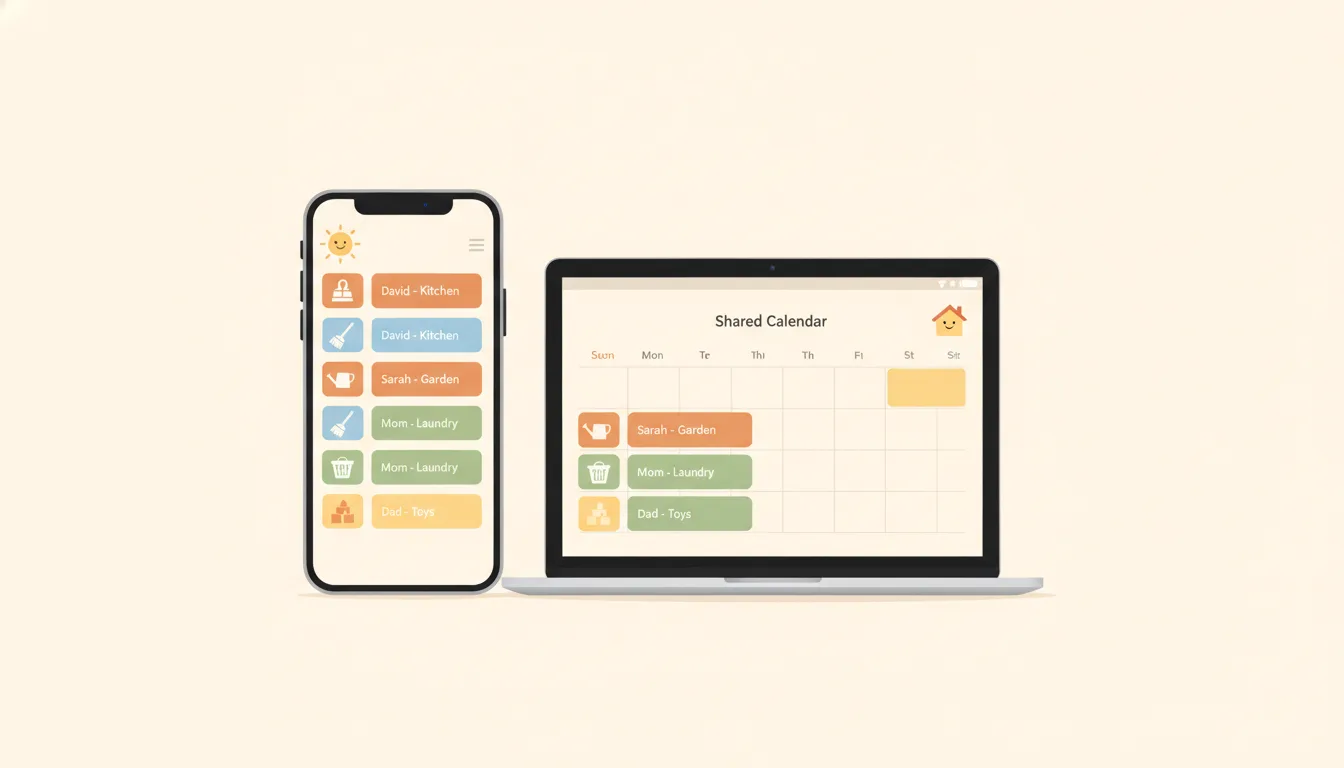
Apple Calendar Chores: Family Scheduling on iPhone & Mac
Run family chores through Apple Calendar, iCloud Family Sharing, and Apple Reminders. This guide covers the full setup (shared calendars, recurring chore events, assigned Reminders lists, color-coding) plus an honest look at where Apple's built-in tools stop and a purpose-built chore app takes over.
Quick Answer: How to Put Family Chores on Apple Calendar
- 1Turn on iCloud Family Sharing (Settings → your name → Family Sharing)
- 2Create a "Family Chores"calendar and share it with each family member's Apple ID
- 3Add each chore as a repeating eventwith an alert, and put the assignee's name in the title
- 4Use a shared Apple Reminders list for checkable chores that can be assigned to one person
Honest note:Apple's tools handle scheduling well but have no completion tracking, rewards, or approval. For those, ChoreSplit is built for the job (it syncs with Google Calendar, not Apple Calendar).
Why Do Families Try Apple Calendar for Chores?
If your household runs on iPhones, the appeal is obvious: the tools are already installed, already signed in, and already synced. Chores sit next to soccer practice and dentist appointments instead of hiding in another app. For a broader look at choosing a family calendar system in the first place, see our shared family calendar guide.
Already on Every Device
Calendar and Reminders ship on every iPhone, iPad, and Mac — no downloads, no new accounts to create for the family.
Family Sharing Built In
iCloud Family Sharing creates a shared Family calendar automatically, so everyone sees household events out of the box.
Native Notifications
Alerts land on the lock screen, Apple Watch, and Mac menu bar at the time you choose — no third-party notification permissions to manage.
Recurring Events
Set a chore once and repeat it daily, weekly, monthly, or on custom patterns like every Tuesday and Saturday.
How Do You Set Up a Shared Family Chore Calendar on iCloud?
The foundation is iCloud Family Sharing plus a dedicated chores calendar. Here's the full setup, start to finish. If part of your family is on Android, skip ahead to the Google Calendar chores guide instead — iCloud sharing is Apple-only in any practical sense.
Turn on iCloud Family Sharing
- 1Open Settings on your iPhone and tap your name at the top
- 2Tap "Family Sharing" and follow the prompts to set up your family group
- 3Invite each family member by Apple ID (kids can have child accounts) — an organizer can add up to five others, so six people total
- 4A shared "Family" calendar appears automatically: Apple documents that "when you join a family, a shared calendar called Family is automatically added to your Calendar app"
Create a Dedicated Chores Calendar
- 1Open the Calendar app and tap Calendars at the bottom (or File → New Calendar on Mac)
- 2Tap "Add Calendar" and name it "Family Chores"
- 3Keeping chores separate from the main Family calendar stops appointments and chores from blurring together
- 4Pick a bright color so chore events stand out at a glance
Share the Chores Calendar
- 1Tap the info button next to your new calendar
- 2Under "Shared With," add each family member's Apple ID email
- 3Set each person to "View & Edit" so they can reschedule their own chores
- 4Each family member accepts the invitation on their own device
Add Chores as Repeating Events
- 1Create an event for each chore on the shared calendar
- 2Name it clearly with the assignee: "Emma — Empty dishwasher"
- 3Tap "Repeat" and choose Daily, Weekly, or Custom (e.g., Mon/Wed/Fri)
- 4Add an alert at the time the chore should actually happen, not midnight
Review as a Family Weekly
- 1Because Apple Calendar cannot track completion, schedule a short weekly check-in
- 2Look at the week ahead together and confirm who owns what
- 3Adjust repeating events when schedules change — nothing rotates on its own
Recurring events tip:Apple documents the Custom repeat option in detail, and it is more flexible than it first looks. Choosing Custom opens a Frequency picker; under Weekly you "enter the number of weeks between each repeat, then select the days of the week" (trash night every Tuesday and Friday), and under Monthly you can repeat on specific dates or "according to a pattern (for example, on the last weekday of each month)." A separate End Repeat menu controls when the series stops. One habit worth forming: set the alert for the hour the chore should actually happen rather than leaving an all-day event on its default alert time, which rarely matches an after-school chore.
Are Apple Reminders Better Than Apple Calendar for Chores?
Chores are tasks, not appointments — and Apple's task app is Reminders, not Calendar. A shared Reminders list is the closest thing Apple offers to real chore management: items can be checked off, assigned to a specific person, and repeated on a schedule. Many families end up using Calendar for time-anchored chores (trash night before pickup) and Reminders for everything else.
Create a Shared Chores List
Open Reminders, tap "Add List," name it "Chores," then use the share button to invite family members from your Family Sharing group.
Add Each Chore as a Reminder
Add items like "Take out trash" or "Feed the dog." Keep names short and action-oriented so kids know exactly what done looks like.
Assign Reminders to People
Apple documents that 'when you share an iCloud reminder list, you can assign reminders to anyone participating in the shared list,' and that the assignee receives a notification. This is the one true assignment feature in Apple's ecosystem — Calendar has nothing like it. You can reassign later, or choose None to leave it unassigned.
Set Repeat Schedules and Alerts
Give each reminder a date, time, and repeat rule — Apple's repeat menu offers None, Hourly, Daily, Weekly, Monthly, Yearly, and Custom. Reminders also supports location triggers, with Arriving and Leaving options, so a chore can fire on getting home. Remember the catch: that alert notifies you, not the person the reminder is assigned to.
Check Items Off as They're Done
Completed reminders disappear from the list. That feels tidy, but note the catch: there is no history, no verification, and no record of who really did the work.
Which chores go where?Use Calendar for chores tied to a clock (trash out before Tuesday 7 AM pickup, feed the dog at 5 PM). Use Reminders for chores tied to a day ("clean your room by Saturday"). Not sure which chores your kids should own in the first place? Our age-appropriate chores tool breaks it down from toddlers to teens.
How Do You Show Who Owns Which Chore Without Assignment?
Since Apple Calendar can't assign events to people, color becomes your assignment system. Done well, anyone can glance at the week and know whose day it is. These are the approaches that hold up in practice:
One Calendar per Person
Create "Emma's Chores" in pink and "Jake's Chores" in blue. Each kid can hide siblings' calendars and see only their own tasks.
Name Prefixes
On a single shared calendar, prefix every event with the assignee: "[EMMA] Vacuum living room." Less elegant, but simpler to maintain.
Match Colors Across Devices
Calendar colors sync through iCloud, so the color system holds up on iPhone, iPad, and Mac — set it once and it follows the family everywhere.
Emoji as Visual Anchors
Emoji survive in event titles and make scanning faster: "🧹 Sweep kitchen," "🐕 Walk dog," "🗑️ Trash night." Kids spot their chores quicker.
Color-coding is essentially a digital version of the classic wall chart — same idea, same limitation: it shows who should do a chore, never whether they did. If you want the chart approach itself done right, our family chore chart guide covers layouts that actually get used.
Where Does Apple Calendar Fall Short for Family Chores?
Apple's tools are polished schedulers — but scheduling is only half of chore management. The other half is accountability, and that's where the built-in apps have nothing to offer:
Alerts on a shared list only notify you
Apple states it directly in the shared-list documentation: "Notifications aren't shared; you can set a reminder to remind you at a time or place, but it won't remind anyone else." Assigning a reminder does notify the assignee once, but the time or location alert you attach to it fires on your device only.
Impact: The obvious chore setup — "remind my kid when they get home from school" — is not something a shared Apple Reminders list does.
No completion tracking or attribution
Apple Calendar events cannot be checked off at all. Reminders has a Completed Smart List, but Apple's documentation never describes attributing a completed item in a shared list to the person who checked it.
Impact: You cannot review who did what last week or reward consistency, because the record Apple keeps does not include who.
No rewards, points, or allowance
There is no concept of earning anything for finishing a chore anywhere in Calendar or Reminders.
Impact: Motivation depends entirely on parental follow-up. Any allowance system has to be tracked separately by hand.
Kids ignore calendar notifications
A chore alert looks identical to every other calendar ping and disappears once swiped away.
Impact: There is no streak to protect, nothing to open, and no consequence in the app for ignoring it — so kids do.
No assignment in Calendar
Shared calendar events belong to everyone and no one. Only Reminders supports assignment, and Apple limits it to people already on the list: "When you share an iCloud reminder list, you can assign reminders to anyone participating in the shared list."
Impact: "I thought that was your job" arguments continue, because the calendar never actually said whose job it was.
Android family members are locked out
iCloud calendar sharing is an Apple-account feature. You can publish a read-only link, but Apple documents that a subscribed calendar cannot be edited at all.
Impact: A mixed-device household cannot run chores on iCloud — the Android members can look but never check anything off.
No parent approval step
Anyone sharing a Reminders list can check off any item, including their own, with no verification.
Impact: "Done" can mean "barely started." Parents still have to inspect every chore themselves.
No automatic rotation
Repeating events repeat identically. Alternating a chore between kids means manually maintaining offset schedules.
Impact: Rotating chores — the fairest system for most families — requires ongoing manual calendar surgery.
What Does a Purpose-Built Chore App Add on Top of Apple's Tools?
A calendar shows when chores should happen. A chore app makes them happen. ChoreSplit adds the layer Apple's tools are missing: real assignment, completion tracking, parent approval, and points that turn into allowance. On the Plus plan, each family member can also subscribe to their chores in Apple Calendar: a private link that puts their chores on iPhone, iPad, and Mac and refreshes about hourly. It is one-way, so chores are still checked off in ChoreSplit; for two-way sync, ChoreSplit connects to Google Calendar instead. (Full setup in our family chore calendar sync guide.)
True Per-Person Assignment
Every chore belongs to a specific family member. Kids open the app and see their tasks — not a wall of family events.
Completion Tracking & History
A full record of who completed what and when. Review the week, spot patterns, and celebrate consistency.
Points, Streaks & Rewards
Chores earn points toward rewards and allowance. Streaks give kids a reason to check the app that a calendar alert never will.
Parent Approval Workflow
Optionally require a parent sign-off before points are awarded, so completed actually means completed.
Push Reminders That Fit Chores
Reminders tied to the chore itself, with the chore's point value attached — not a generic calendar ping.
Automatic Rotation & Google Calendar Sync
Rotate chores between kids automatically. Families who live in a calendar can sync schedules to Google Calendar — viewable on any iPhone via the Google Calendar app.
Apple Calendar + Reminders vs. ChoreSplit
| Feature | Apple Calendar + Reminders | ChoreSplit |
|---|---|---|
| Works on iPhone / iPad / Mac | Yes (built in) | Yes (app + web) |
| Shared family visibility | Yes | Yes (family dashboard) |
| Recurring chores | Yes | Yes (flexible) |
| Assign chores to a person | Reminders only | Yes |
| Completion history | No | Full tracking |
| Points & allowance | No | Yes |
| Streaks & leaderboards | No | Yes |
| Parent approval | No | Optional |
| Automatic chore rotation | No | Yes |
| Calendar integration | Native (Apple Calendar) | Apple Calendar feed (one-way) + Google Calendar sync (two-way) |
| Works for Android family members | Read-only at best | Yes |
The honest bottom line: if your family only needs shared visibility and reminders, Apple Calendar plus a shared Reminders list is free and already on your devices — start there. If you've tried that and chores still aren't getting done (or you're tired of being the human completion tracker), a purpose-built app is the upgrade. Families deep in Google's ecosystem should also read our guide to Google Calendar chores — recurring setup there pairs directly with ChoreSplit's sync.
Key Takeaways
- iCloud Family Sharing gives every Apple family a shared calendar automatically — add a dedicated chores calendar on top of it
- Apple Calendar handles recurring chore events well, but cannot assign events to a person
- Shared Apple Reminders lists are the stronger Apple tool: checkable, assignable, and repeatable
- Color-coding per family member is a workaround for assignment, not a replacement for it
- Neither app tracks completion history, offers rewards, or verifies that chores were done
- ChoreSplit adds assignment, tracking, approval, and allowance, plus an Apple Calendar feed and two-way Google Calendar sync
Continue Reading
Google Calendar Chores Guide
The cross-platform calendar setup
Sync Family Chores to Google Calendar
Multi-person household coordination
Shared Family Calendar Guide
Pick the right family calendar system
Family Chore Chart Guide
Build a chart the whole family follows
Age-Appropriate Chores Tool
What kids can handle at every age